Photo to Emoji Converter
Upload a photo, get back a custom emoji as a transparent PNG. Turn a selfie, a pet or an object into an emoji you can drop into chat, stickers or a profile picture.
Convert your photo now
How the photo to emoji converter works
Converting an image to an emoji takes three steps and runs entirely in your browser. There is nothing to install.
- Upload your photo. Drop in a PNG, JPG, WEBP or HEIC file up to 20 MB, straight from your camera roll or your computer.
- Generate. The AI reads the subject of your picture and redraws it as an emoji, optionally in a style you pick or describe in your own words.
- Download. Save the result as a transparent PNG with no watermark, ready to upload wherever you want to use it.
Each generation costs one credit. Because the output keeps a transparent background, you do not need to cut the subject out afterwards.
Photo to emoji examples
Each pair below shows an original photo on the left and the emoji generated from it on the right.
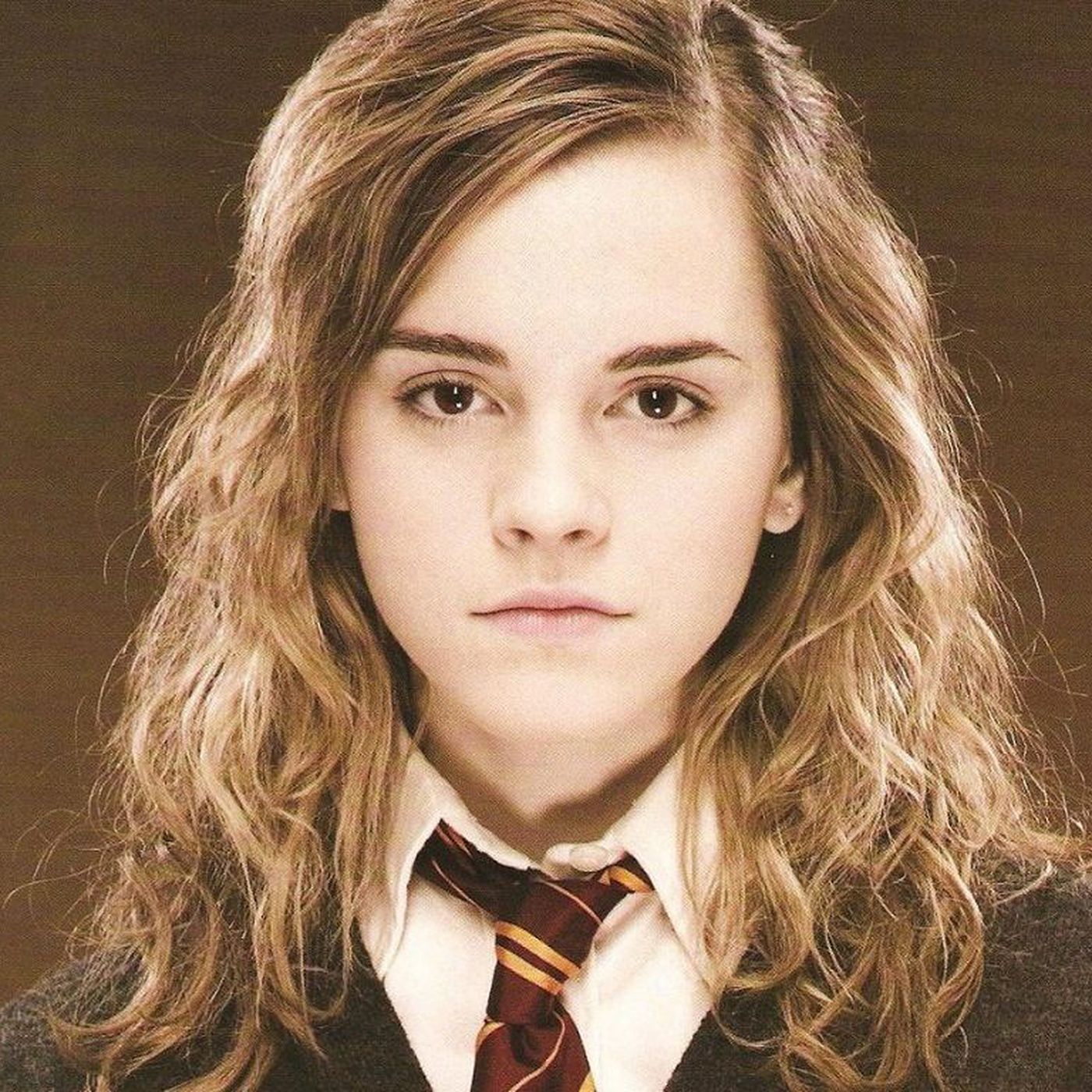
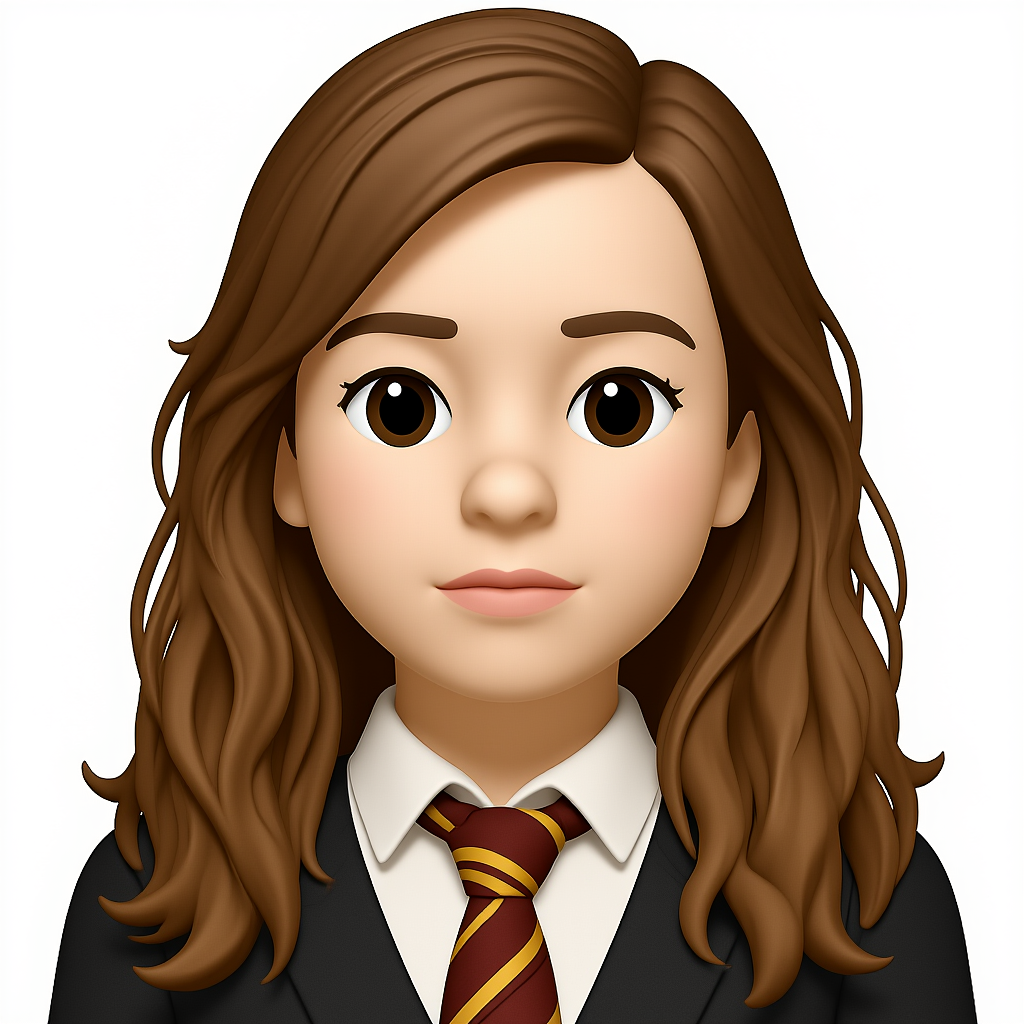
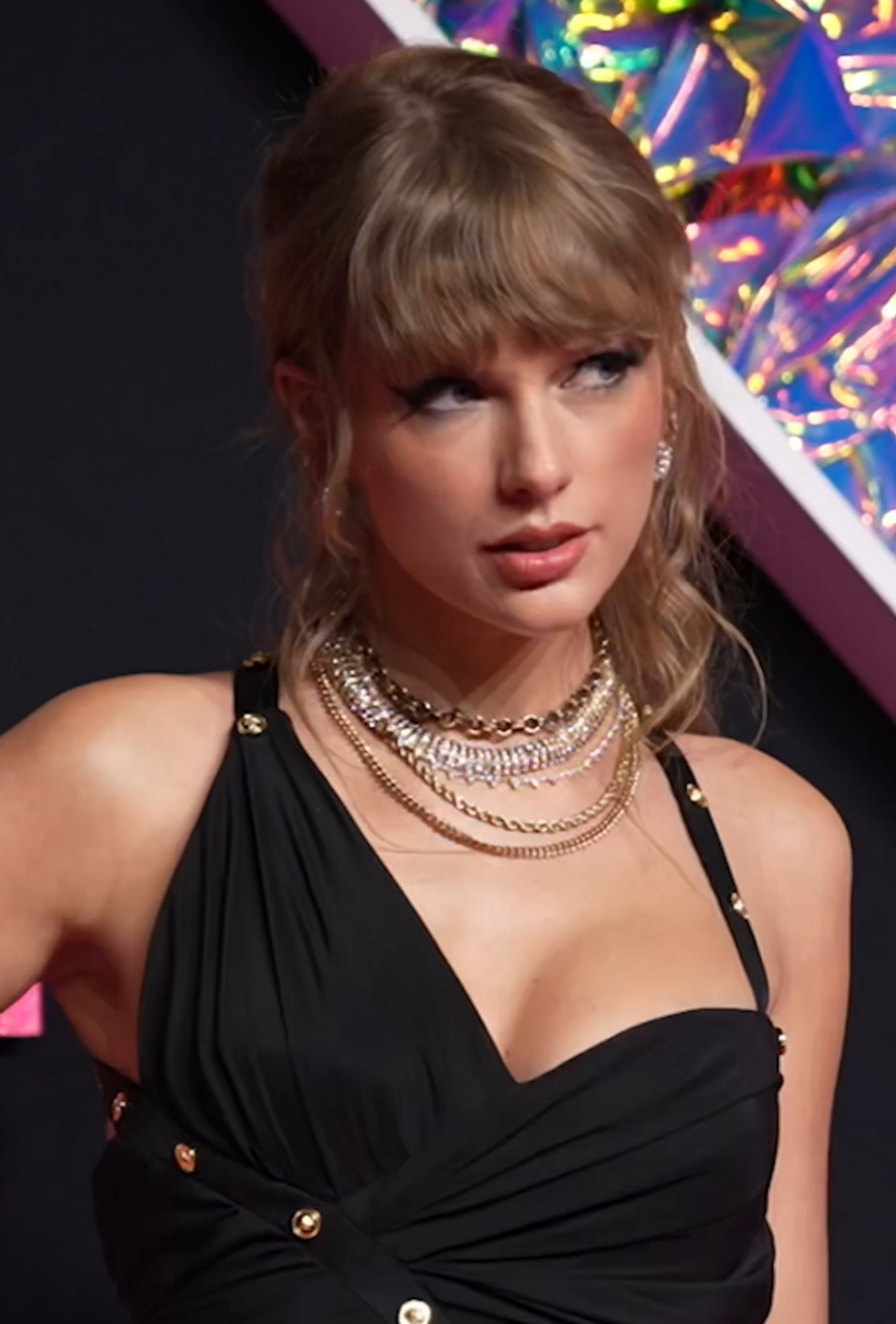
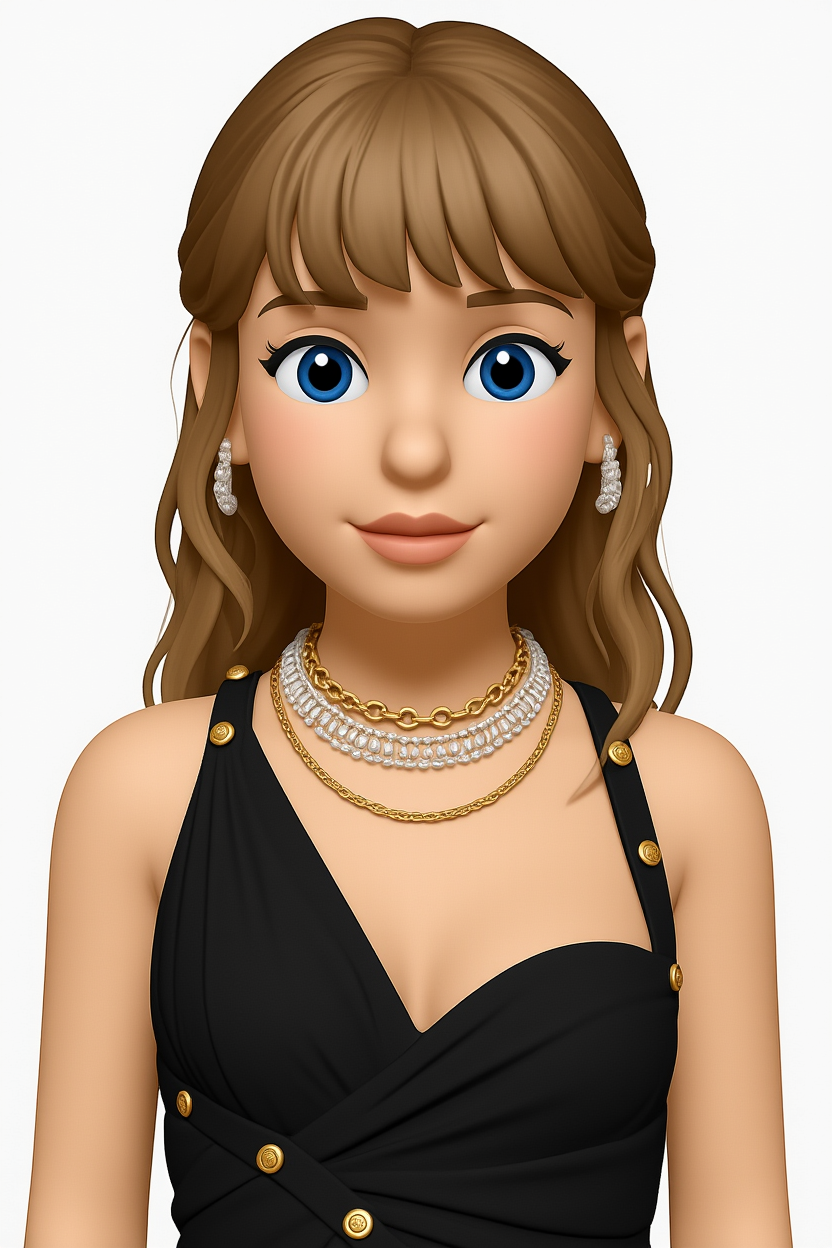


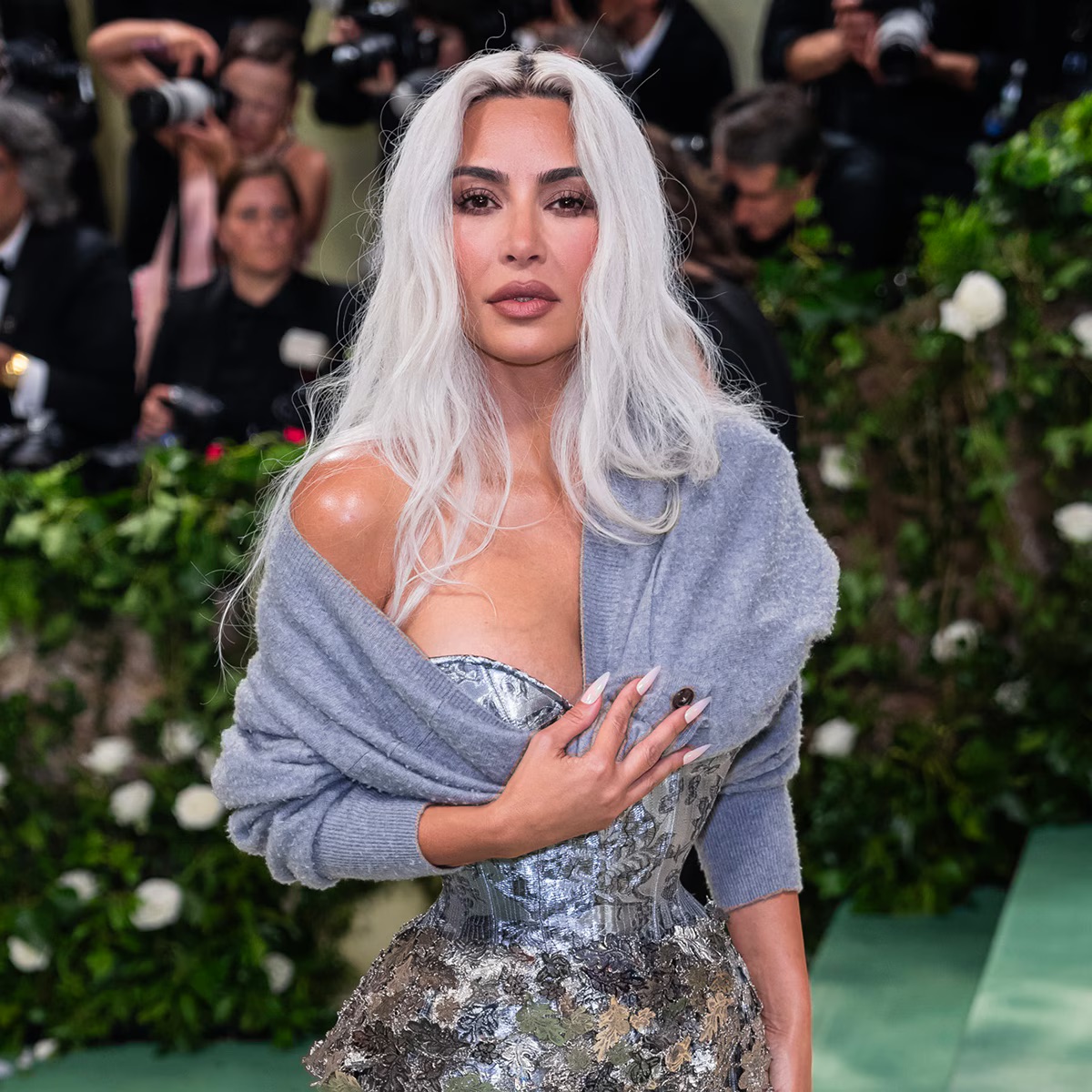
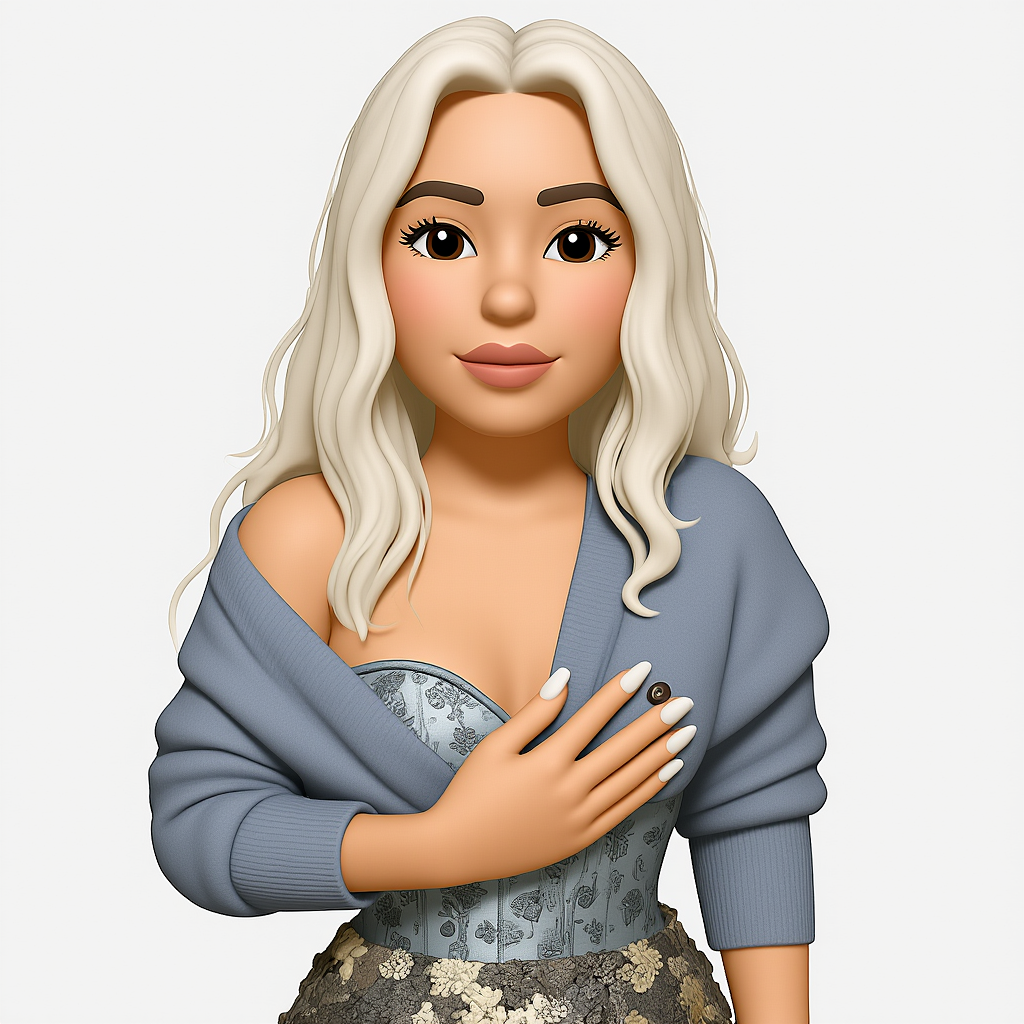
More in the examples gallery.
What photos work best
The converter works from whatever is in the picture, so a clear photo gives a clearer emoji. A few rules of thumb:
- Selfies. Keep the face large in the frame, in soft even light, and avoid extreme angles. Glasses and hair shape usually carry over. See emoji from a selfie.
- Pets. A sharp, front-facing portrait with the eyes visible beats a full-body shot from across the room. See emoji from a pet photo.
- Objects. Photograph one item against a plain background so the model knows what the subject is. See emoji from an object photo.
- Couples. Keep both faces visible and at a similar size. See couple photo to emoji.
Crowded group shots, heavy filters and very dark or blurry pictures give weaker results. If the first attempt is off, crop tighter on the subject and try again.
What you get: transparent PNG output
Every emoji is a square image with a transparent background and no watermark. There is one output size per tier, not a separate file for each app:
- Free output: 512 × 512 px transparent PNG.
- With credits: full 1024 × 1024 px PNG, plus SVG vector export.
A square transparent PNG is the format most chat and community apps expect for custom emoji and stickers, including Discord, Slack, WhatsApp and iMessage. Each app sets its own file size and dimension limits, so check the upload rules of the one you are using and resize if needed. Related guides: Discord emoji and WhatsApp stickers.
Generated emojis are licensed for commercial use. Free-tier and paid output are the same artwork, the only difference being resolution and SVG. Prices and what each credit buys are on the pricing page.
Image to emoji vs. the emoji keyboard and Genmoji
The standard emoji keyboard is a fixed set of characters. You can pick a smiley, but you cannot pick one that looks like your dog or your friend. A photo to emoji converter fills that gap by generating a new emoji from a real picture.
Apple's Genmoji also creates custom emoji, but it works from text prompts and only on supported Apple devices, and the results live inside Apple's apps rather than as downloadable PNG files. PennyLogo starts from your photo, runs in any browser, and gives you a file you can upload anywhere. For a full side-by-side, read PennyLogo vs Genmoji.
Photo to emoji FAQ
How do I convert a picture to an emoji?
Upload a photo to the generator at the top of this page, pick a style if you want one, and generate. The result is a transparent PNG you can download and use as a custom emoji, sticker or profile picture.
Is the photo to emoji converter free?
New accounts start with a free trial credit, which covers one generation. A capped daily free allowance without an account may also be available; the generator above shows whether it is switched on today. After that, each emoji costs one credit, and credit packs start at €1.99 with no subscription required.
Which image formats can I upload?
PNG, JPG, WEBP and HEIC, up to 20 MB. That covers most phone photos, including iPhone HEIC files, so you can convert a JPG to an emoji without converting it first.
What do I get back?
A transparent-background PNG with no watermark. Free output is 512 × 512 px. Credits unlock the full 1024 × 1024 px version and SVG export.
Can I use the emojis commercially?
Yes. Generated emojis are licensed for commercial use, including free-tier output.
What kind of photo gives the best emoji?
A single, clear subject: a face that fills the frame, even lighting, and nothing covering the features you want to keep. Selfies, pet portraits and single objects on a plain background work best.
Ready to convert a photo to an emoji?
Upload an image and have your emoji as a transparent PNG in moments.
🖼️Convert Photo Now→